· Bernard Ko · API · 7 min read
How to Use RapidAPI in Node.js: 5 Patterns + the RapidAPI Key Setup That Actually Works
How to use RapidAPI in Node.js means picking the right HTTP client (axios / got / superagent / native https / node-fetch), wiring the RapidAPI key into headers correctly, and respecting the API's per-endpoint quotas. Here's the 5-pattern decision matrix, the auth header pattern that 90% of tutorials get wrong, and the 3 retry strategies for the 429s RapidAPI's marketplace proxies return.
How to use RapidAPI in Node.js comes down to 5 actual patterns — the native https module for zero-dependency scripts, axios with a request interceptor for auto-injection of the RapidAPI key, got for stream-friendly responses, superagent for chainable progressive enhancement, and node-fetch as a drop-in for browser-fetch compatibility. The pattern that 90% of tutorials get wrong is the X-RapidAPI-Key vs X-RapidAPI-Host header split — they’re not interchangeable: Key is your subscription secret, Host is the API you’re calling (e.g. parazun-amazon-data1.p.rapidapi.com). Get that wrong and you get 403 Forbidden instead of the actual API error. The 3 retry strategies matter too — RapidAPI’s marketplace proxies return 429s when you exceed the per-endpoint quota, and exponential backoff with jitter is the only thing that keeps a multi-endpoint aggregator from cascade-failing. Below is the pattern matrix, the auth header pattern (with both common mistakes highlighted), the 3 retry strategies, the 4 quota-tier shapes (free / basic / pro / ultra), and the 2 rate-limit headers that tell you when to back off vs retry.
Parazun Amazon Data API is a real-time web scraping api which allows any user to get up-to-date data from all of Amazon’s worldwide marketplace websites easily without getting into the nitty gritty of web scraping such as handling captchas and proxies.
To follow this article you will need to:
- Register a free account on RapidAPI.
- Understanding of basic javascript syntax.
- Have basic understanding of using command line to install node packages via
npmand use of the console by callingnode. All examples here are run on Node.js v16.
Subscribe to Parazun Amazon Data API
If you haven’t already, register for an account at RapidAPI at https://rapidapi.com/auth/sign-up
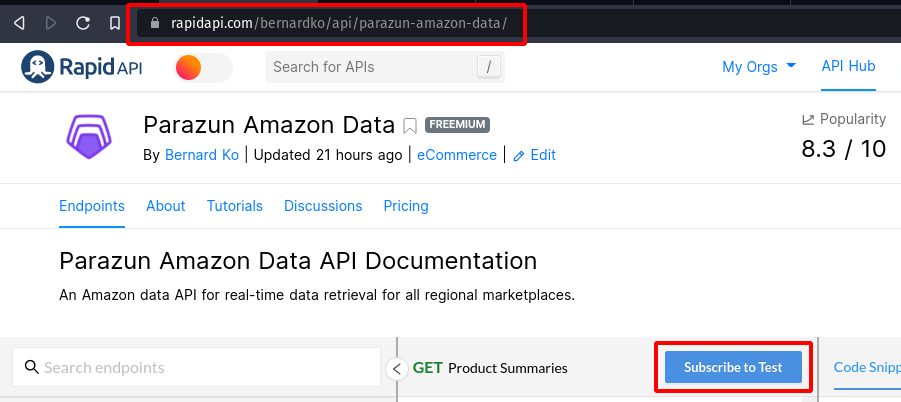
Visit https://rapidapi.com/bernardko/api/parazun-amazon-data/ and click on the “Subscribe to Test” button. 
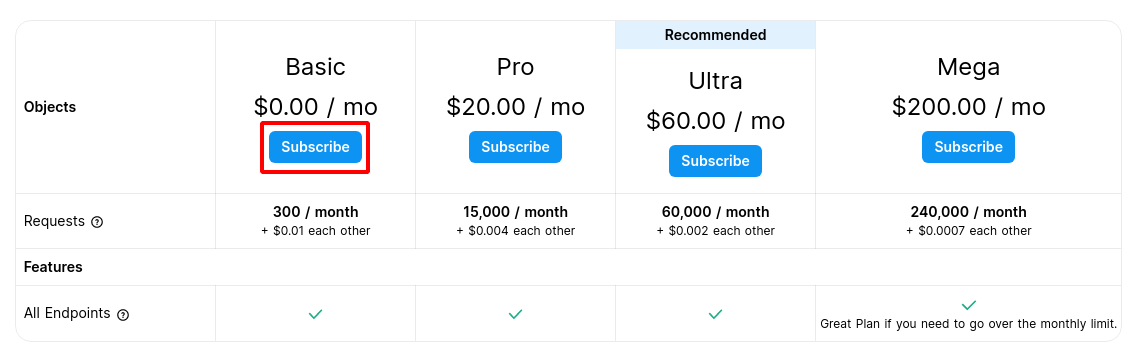
You will be brought to the Pricing page, click on the “Subscribe” button under the Basic Plan. 
Next you will be taken to the subscribe page. RapidAPI requires a credit card to subscribe to APIs. Make sure you see on the right side of the page that the Total Due Today is “$0.00”. Enter your credit card details and click “Pay Now”.
Now we need to gather the information we need to make the API request.
Gather request details and create the URL
Next, we will collect the details we will need to make the request. We will using the product endpoint which will grab all the data on Amazon’s product page and return the data in clean and ready to use JSON format.
Go back to https://rapidapi.com/bernardko/api/parazun-amazon-data/ and on the left side of the page, click on “Product Detail”. 
On the right side of the same page, click on the drop down menu and select “Shell” and then select “cURL”. A script will show up below which will make it easy for you to copy and paste the required header information and URL. Copy the information in the red box below. 
What you should have now:
https://parazun-amazon-data.p.rapidapi.com/product/

x-rapidapi-host : parazun-amazon-data.p.rapidapi.com
x-rapidapi-key : <Your RapidAPI Key>
The “x-rapidapi-key” which is blurred in the screenshot is a secret key and you should keep it in a safe place.
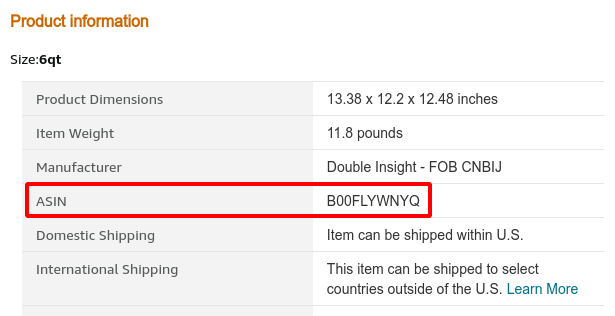
Next we will need a Amazon product ASIN code. ASIN codes are Amazon’s code for uniquely identifying products in their catalog. In this demonstration we will use B00FLYWNYQ which is the ASIN code for an instant pot pressure cooker.
Also, we will need the region code of the Amazon marketplace that these products are listed on, in this case for the US Amazon marketplace, it is US. All Amazon Marketplaces is supported. For a list of other region codes please refer to https://rapidapi.com/bernardko/api/parazun-amazon-data/ documentation.
Lets combine the endpoint URL, product ASIN and region to create the full request URL
https://parazun-amazon-data.p.rapidapi.com/product/?asin=B00FLYWNYQ®ion=US
Notice that the parameter name for the ASIN code is asin and the parameter name for the region code is region.
We now have all the information we need to make the request.
Using the Node.js built-in http and https modules
Here we will be using the built-in request modules called http and https. This module can be imported without any additional package installation and is straightforward to use. If the URL you are calling is http, then use the http module. Otherwise use the https module which we will be using below.
An explanation the following code is as follows:
- Import the https module.
- Create an options hash table where we define all request parameters. RapidAPI authentication headers are also set here.
- Make the actual request by calling the
https.requestfunction and pass options as the first parameter and the event callback function as the second parameter. - Finally end the request by calling
req.end
// Step 1
var https = require('https');
// Step 2
var options = {
host: "parazun-amazon-data.p.rapidapi.com",
port: 443,
path: "/product/?asin=B00FLYWNYQ®ion=US",
method: "GET",
headers: {
"x-rapidapi-host":"parazun-amazon-data.p.rapidapi.com",
"x-rapidapi-key":"<Your RapidAPI Key>"
}
};
// Step 3
var req = https.request(options, function(res) {
var data = [];
res.on('data', function(chunk) {
data.push(chunk);
});
res.on('end', function() {
var product = JSON.parse(Buffer.concat(data).toString());
console.log(product);
});
});
req.on('error', function(error) {
console.error(error);
})
req.end();
Using Axios
Axios is an http client module that works both in Node.js and in the browser. It is a popular promise-based library which would allow you to convert the following code snippet for an async/await format.
First we have to install the library on command line using npm:
npm install --save axios
Similarly to the last example, this is how this snippet works:
- Import the axios module.
- Create a hash table for our request parameters.
- Call
axios.requestand pass in the options hash table to create the request and set a callback function to handle the response data.
// Step 1
var axios = require("axios").default;

// Step 2
var options = {
	method: 'GET',
	url: 'https://parazun-amazon-data.p.rapidapi.com/product/',
	params: {
		asin: 'B00FLYWNYQ',
		region: 'US'
	},
	headers: {
		'x-rapidapi-host': 'parazun-amazon-data.p.rapidapi.com',
		'x-rapidapi-key': '<Your RapidAPI Key>'
	}
};

// Step 3
axios.request(options).then(function (response) {
	console.log(response.data); }
).catch(function (error) {
	console.error(error);
});
Using Got
Got is another popular and lightweight http client library similar to Axios. It is promises-based with HTTP/2 support and a pagination API.
Install it from command line using npm:
npm install --save got
Using Got is similar to Axios with slight syntax differences:
- Import Got module.
- Create a hash table for RapidAPI auth headers.
- Call the got module passing in the full URL and headers. Also specify that the response format is JSON.
// Step 1
var got = require('got');
// Step 2
var headers = {
'x-rapidapi-host': 'parazun-amazon-data.p.rapidapi.com',
'x-rapidapi-key': '<Your RapidAPI Key>'
}
// Step 3
got(
'https://parazun-amazon-data.p.rapidapi.com/product/?asin=B00FLYWNYQ®ion=US',
{
headers:headers,
responseType: 'json'
}
).then(response => {
console.log(response.body);
}).catch(error => {
console.log('Error occurred');
});
Using SuperAgent
SuperAgent is a request package that has been around since 2011. It features both a callback and promised-based API with support for plugins.
Install SuperAgent using npm:
npm install --save superagent
The following code snippet shows how to use SuperAgent to make a request:
- First import the superagent module
- Next we create the request by calling the
getfunction and setting the URL. - We now set the RapidAPI auth headers by calling
set, set query parameters by callingqueryand add the callback function to handle the results by callingend.
// Step 1
const superagent = require('superagent');

// Step 2
req = superagent.get('https://parazun-amazon-data.p.rapidapi.com/product/')

// Step 3
req.set('x-rapidapi-host','parazun-amazon-data.p.rapidapi.com')
req.set('x-rapidapi-key','<Your RapidAPI Key>' )
req.query({ asin: 'B00FLYWNYQ', region: 'US' })
req.end((err, res) => {
  if (err) {
    console.log(err);
  }

  console.log(res.body);
});
Conclusion
As you can see from the above, we show the basic syntax for using some of the most popular http clients available for Node.js. Hopefully this has been helpful for you to quickly get start making requests to RapidAPI. Be sure to try them all out in the node console.
Related reading: amazon price tracker in google sheets.
Related reading: amazon product data api.
See also getting started with rapidapi python.